
"Do the monitor and the print output match?”
We held a lecture on the Basics of Color Management.
「モニターとプリント出力は合っていますか?」
カラーマネージメントの基礎を学ぶ講座を開催しました
May 11th, 2024 / 2024年5月11日
Color management is to "match the monitor and print output" by adjusting the monitor and creating an ICC profile for the paper. Tomikawa is the only person in Japan who can give the lecture on color management. Wherever we show the artwork at the portfolio review abroad, people praise the beauty of the print. This is Tomikawa’s attribution for us. As a technical director, he has been teaching us his expertise. This time he shared his tips with many people at the lectur.
モニターを調整したり、用紙のICCプロファイルをつくることで、「モニターとプリント出力を合わせる」というのがカラーマネージメントです。このカラマネの講座ができるのは日本でも冨川さんしかいません。
SAMURAI FOTOがどの国のポートフォリオレビューに行っても「プリントが美しい」と言われるのは彼の存在があるからです。テクニカルディレクターとして、メンバーにそのノウハウを長年伝授してくれています。
今回はそのノウハウを久しぶりにSAMURAI以外の方々に公開するセミナーでした。
Color Management and Monitor Calibration
カラーマネージメントとモニターキャリブレーション
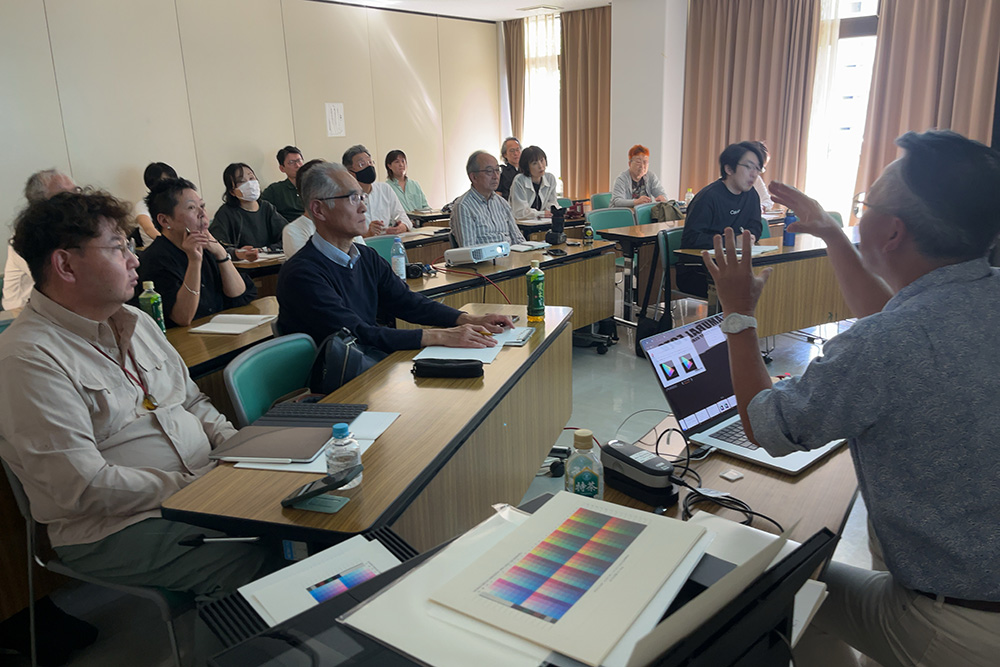
The Color Management course was held for the first time in more than 5 years. A lot of people attended and the course was a great success.
5年以上ぶりのカラマネ講座は大盛況。多くの方にご参加いただきました。
ご案内ページ
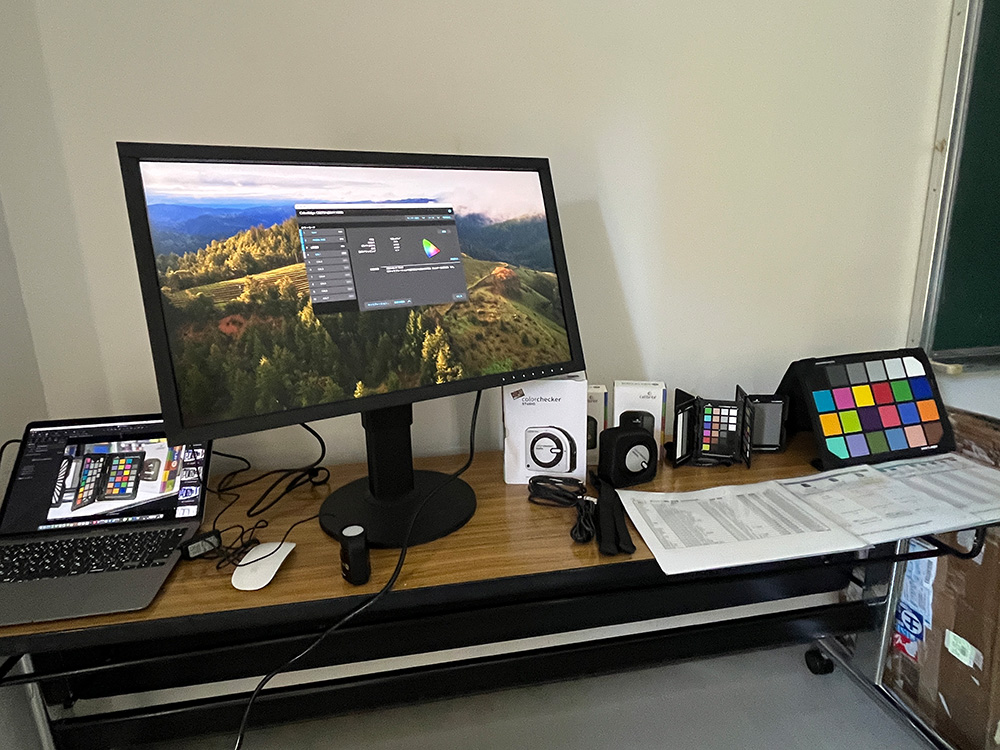
EIZO provided a hardware calibration monitor, and VINCERO provided a color chart, a color checker display that can calibrate the monitor, and the color checker studio for creating ICC profiles.
EIZOさんのハードウェア・キャリブレーションモニターやVINCEROさんのカラーチャート、モニターをキャリブレーションできるcolorchecker displayやICCプロファイルをつくるためのcolorchecker studioをご提供いただきました。
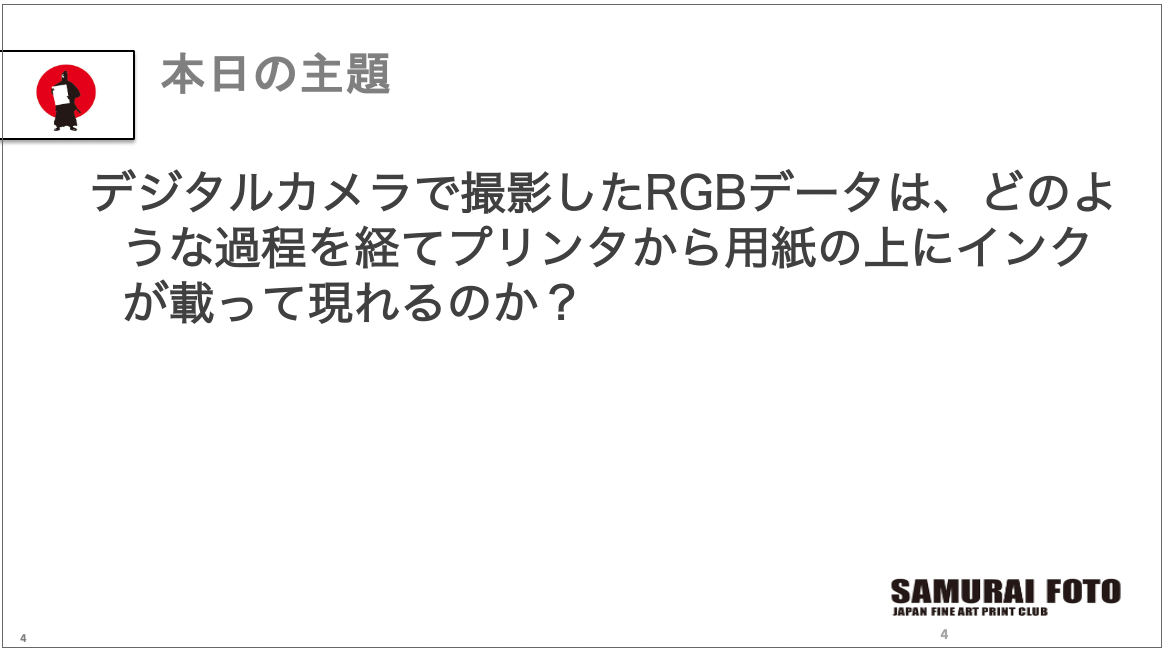
The main topic of this 3-hour course was “How does the RGB data captured by a digital camera make a process to appear on the paper from the printer?”. By understanding the process and how it works, you can turn your digital data into actual prints.
3時間の講座の主題は「デジタルカメラで撮影したRGBデータはどのような過程を経て、プリンタから用紙の上にインクが載って現れるのか」。その過程を知ることで「モニター=プリント」に仕上げられるようにするのが講座の目的です。
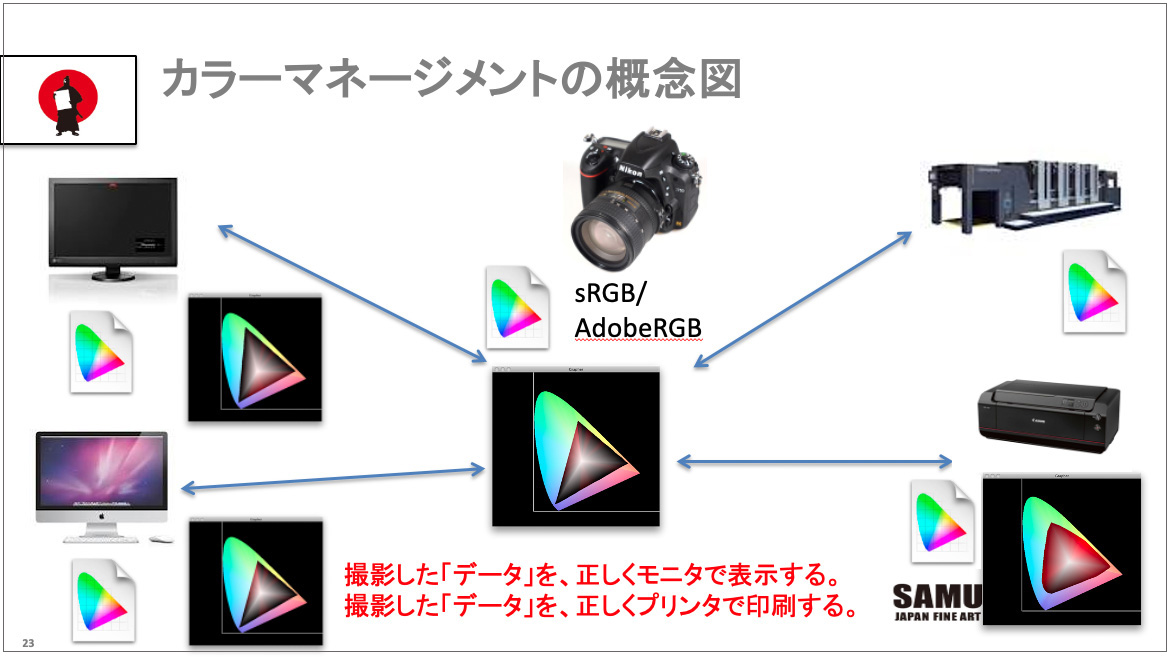
This conceptual diagram shows the flow and structure (system) of color management. Since digital cameras are made up of data (numbers), a color space (color space) is necessary to represent the data as colors. It becomes “color” when it is specified.
カラーマネージメントの流れや構造(システム)を示した概念図。デジタルカメラはデータ(数字)でできているため、それを色として現すためには色空間(カラースペース)が必要です。それを規定することで初めて「色」になります。

Many people may have heard of sRGB and AdobeRGB. They refer to color spaces: RGB means data. R (red), G (green), and B (blue) have their own numerical values that are converted to each color by applying the numerical values within each color space.
sRGB、AdobeRGBというのを聞いたことがある方は多いと思いますが、これが色空間。RGBというのデータでR(レッド)とG(グリーン)、B(ブルー)のそれぞれの数値があり、その色空間の中に数値を当てはめて色に変換します。
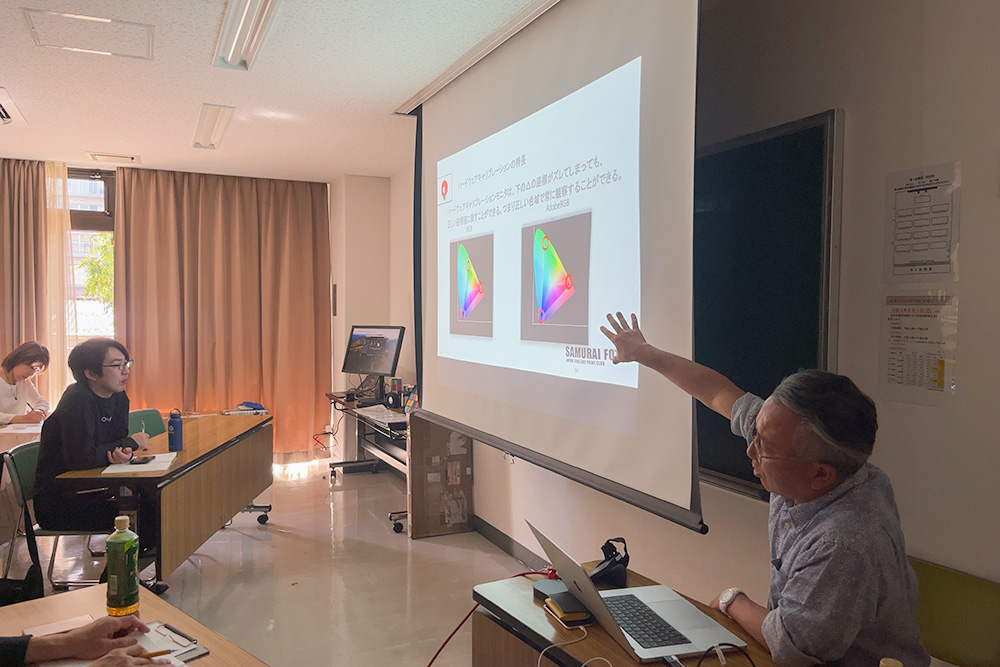
The color space of the camera is represented by sRGB or AdobeRGB. Even if the RGB values are the same, the colors will change if the color space is different. The value range is from 0 to 255. “R255, G0, B0” represents the color of red, but the color itself changes slightly depending on which color space is applied.
カメラの色空間はsRGBまたはAdobeRGB。RGBの数値が同じでも色空間が異なれば色は変わってきます。数値としては0~255が範囲。「R255、G0、B0」は赤だが、どの色空間を当てはめるかによって、色自体は微妙に変わってきます。
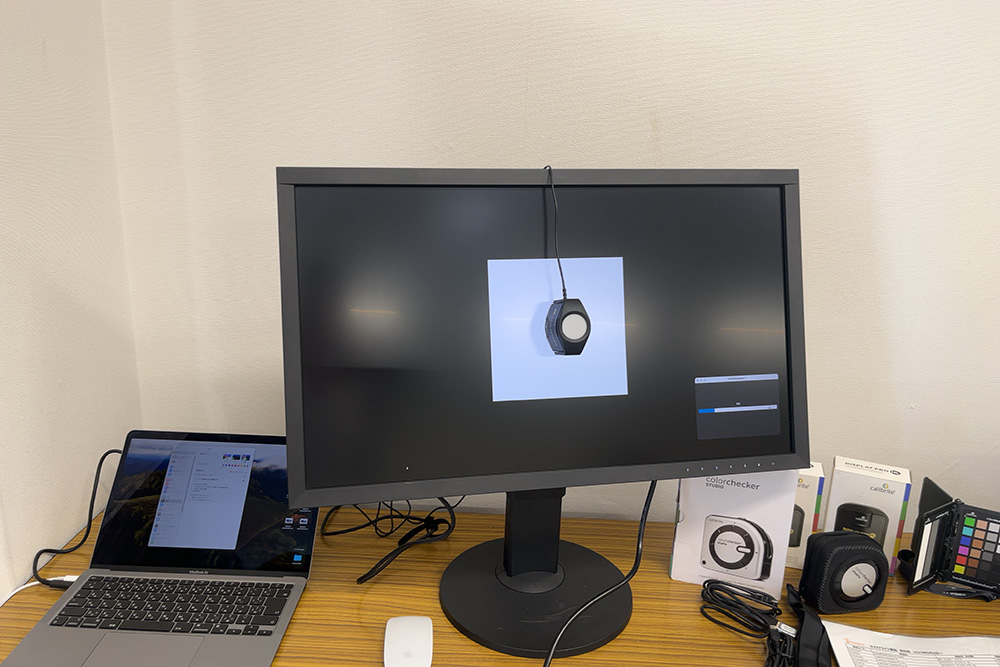
This time, he talked about the basics of color management, but he also gave a simple lecture for the actual monitor calibration.
今回はカラーマネージメントの基礎編でしたが、実際のモニターキャリブレーションの仕方についてもわかりやすく解説していただきました。
Color matching between monitor and print
モニターとプリントの色合わせの方法
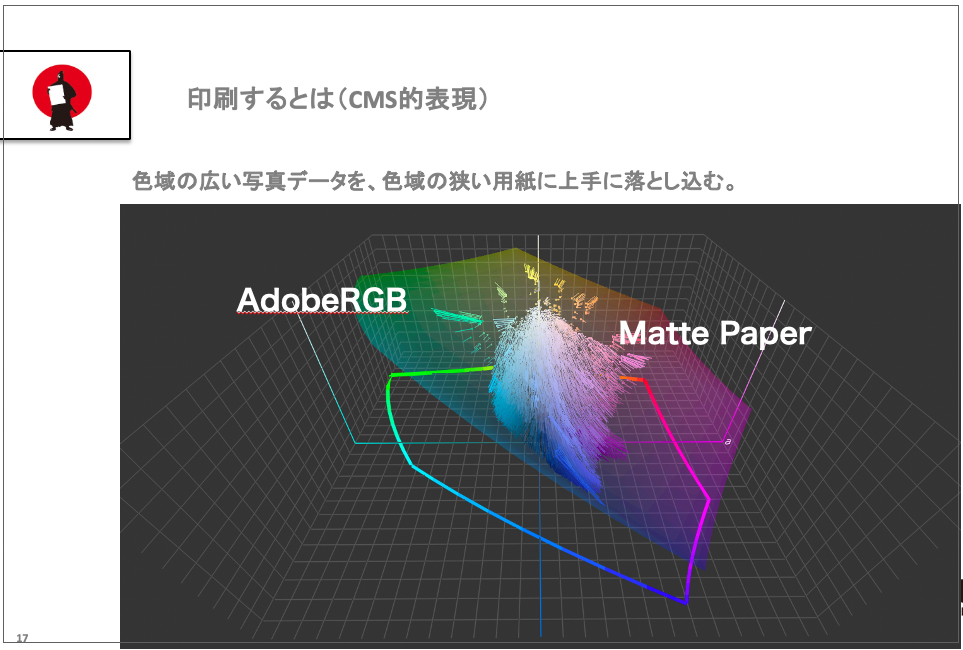
To begin with, printing means transferring photographic data with a wide color gamut to inkjet paper with a narrow color gamut. Therefore, it is necessary to know the characteristics of the paper and the printer driver.
そもそもプリントするというのは、色域の広い写真データを色域の狭いインクジェット用紙に上手に落とし込むこと。なので、用紙の特性やプリンタのドライバの特性を知っておく必要があります。
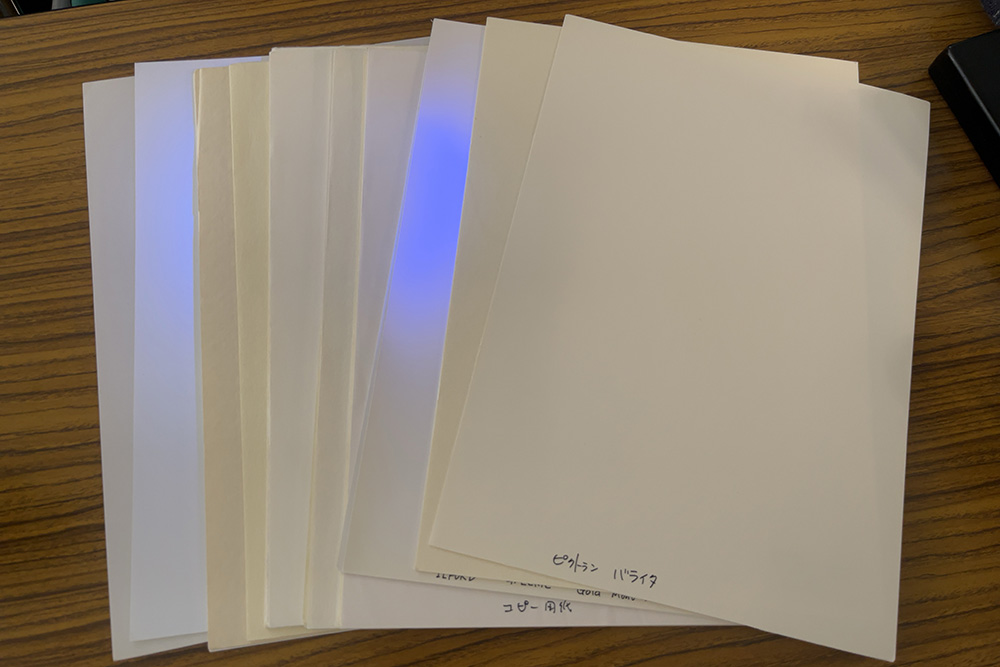
The variety of printing papers has increased since the early days of digital cameras. The paper that glows blue under a black light is glossy paper with a fluorescent brightener that tends to turn yellow. Nowadays, many kinds of printing paper are available, not only matte paper, but also a variety of Japanese washi paper.
デジタルカメラ創世記からプリント用紙の種類はどんどん増えてきました。ブラックライトでブルーに光っているのは蛍光増白剤の入った光沢紙。黄色く変色しやすい用紙です。マット紙だけでなく、最近は和紙の種類もどんどん増えています。
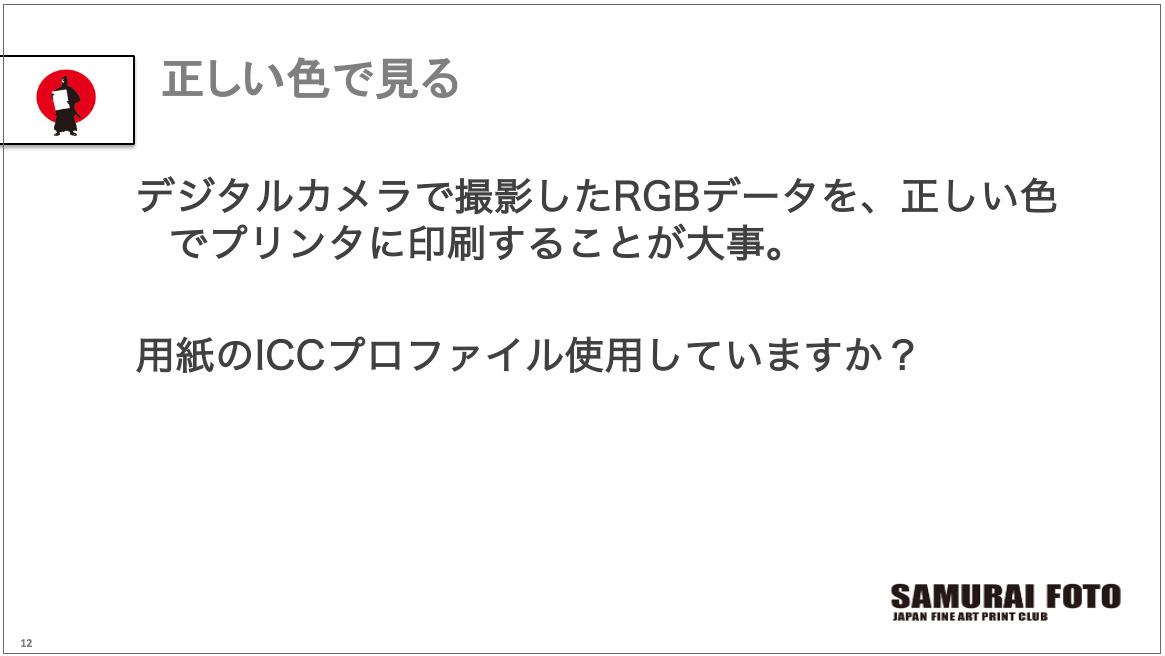
The ICC profile is necessary to maximize the characteristics of the paper and the printer to print exactly as seen on the monitor. Once the profile is created, the prints can be made almost exactly as seen on the monitor.
使用する用紙とプリンタの特性を最大限に活かし、モニターで見た通りにブリントするために必要なのが、ICCプロファイルというもの。それをつくっておくと、ほとんどモニターで見たままにプリントすることができます。
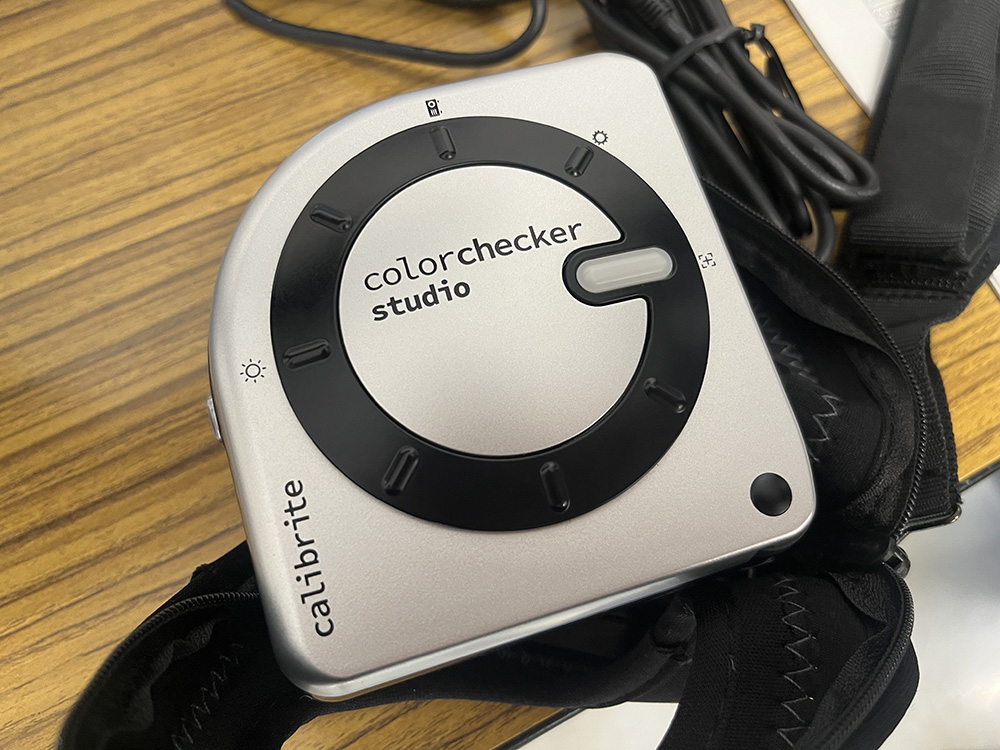
VINCERO's color checker studio is used to create ICC profiles. It is an easy-to-use spectrometer for everyone from print enthusiasts to professional photographers and graphic designers.
ICCプロファイルをつくるときに用いるのが、 VINCEROが扱っているcolorchecker studio。プリントをする写真愛好家からプロの写真家、グラフィックデザイナーまで使いやすい分光光度計です。
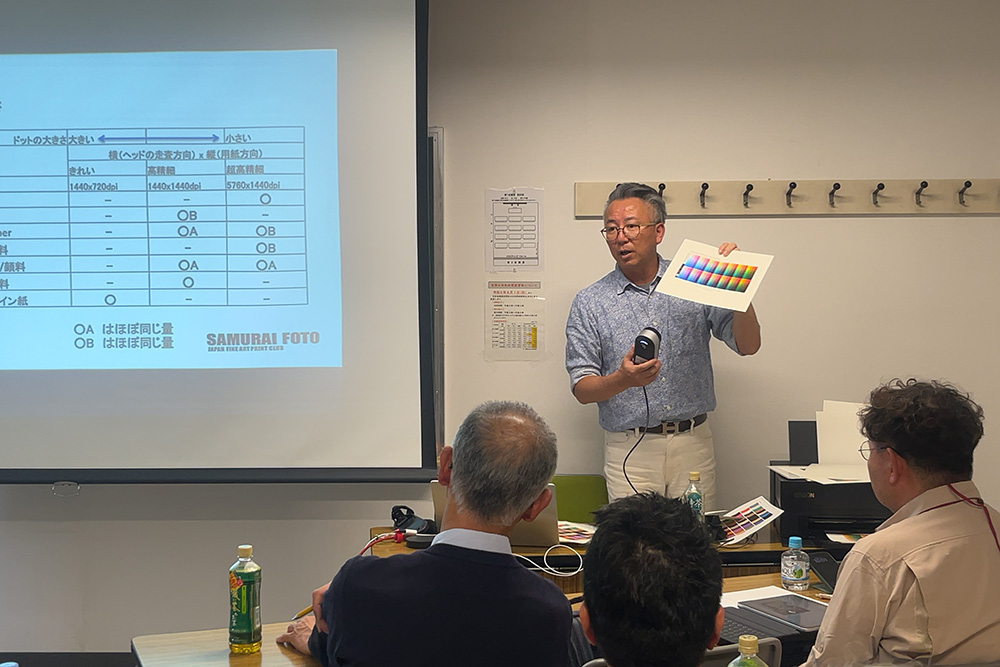
X-rite, Tomikawa's company, uses the i1Pro, which is an amazing device that can calibrate monitors and read hundreds of color patches to create ICC profiles.
冨川さんの会社x-riteが扱っているのはi1 Pro。モニターをキャリブレーションしたり、ICCプロファイルをつくるために何百ものカラーパッチを読み込めるスグレモノです。
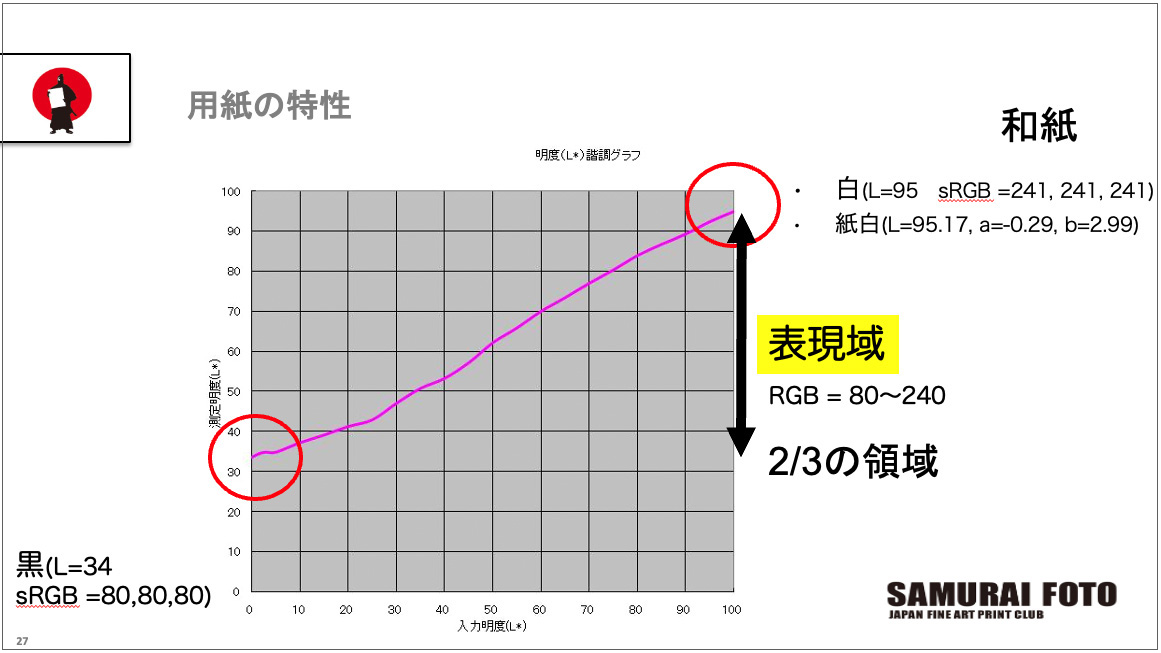
Using a profiler like the i1Pro, we printed a color patch on paper and then measured the color to create an ICC profile. We can also measure the Lab value. This also allows us to see how far the light colors go and how far the blacks go.
i1 Proなどのプロファイラーを使って、使用するプリンタで用紙にカラーパッチをプリント。それを測色してICCプロファイルを作りますが、Lab値というものも測れます。それで明るいところはどこまで出るか、黒はどこまで出るかを見ることもできます。
Simulating colors in Photoshop before printing
プリントする前にPhotoshopでシュミレートできる
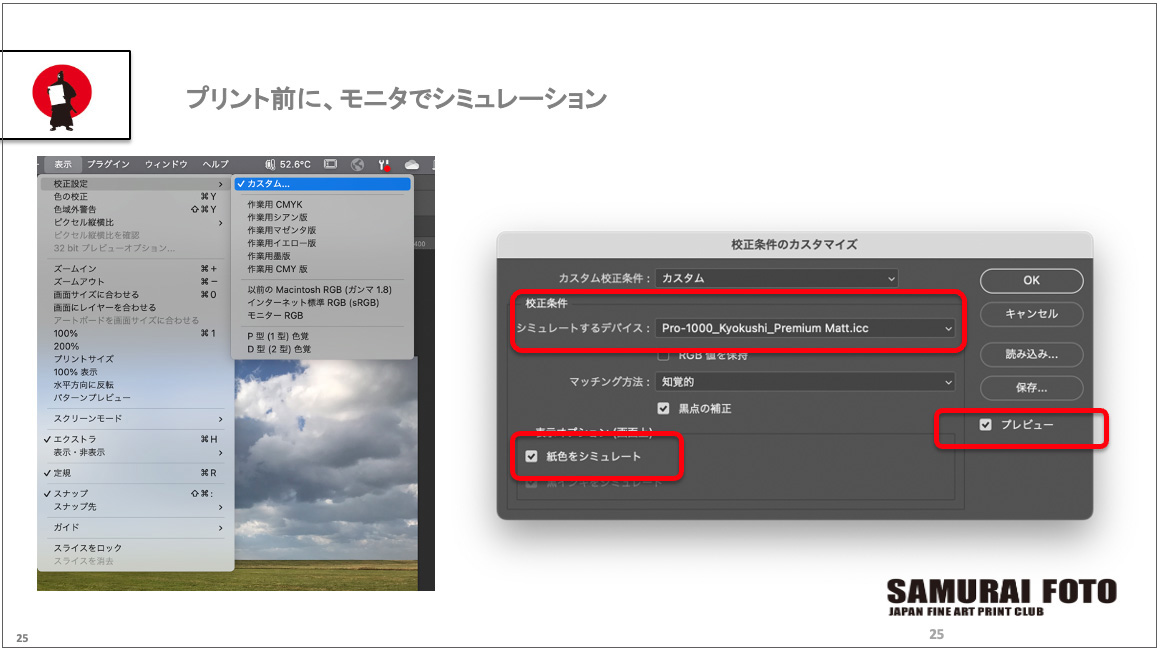
It is convenient to create an ICC profile for the paper so that you can simulate the color tone and brightness in Photoshop before printing. Since you can correct the colors while checking the printed image, you won’t waste paper and can save money.
用紙のICCプロファイルをつくっておくと、プリントする前にPhotoshop上でどんな色調や明るさになるかなどをシュミレートできるから便利です。プリント後を見ながら補正できるので、用紙の無駄打ちもなくなって節約できます。
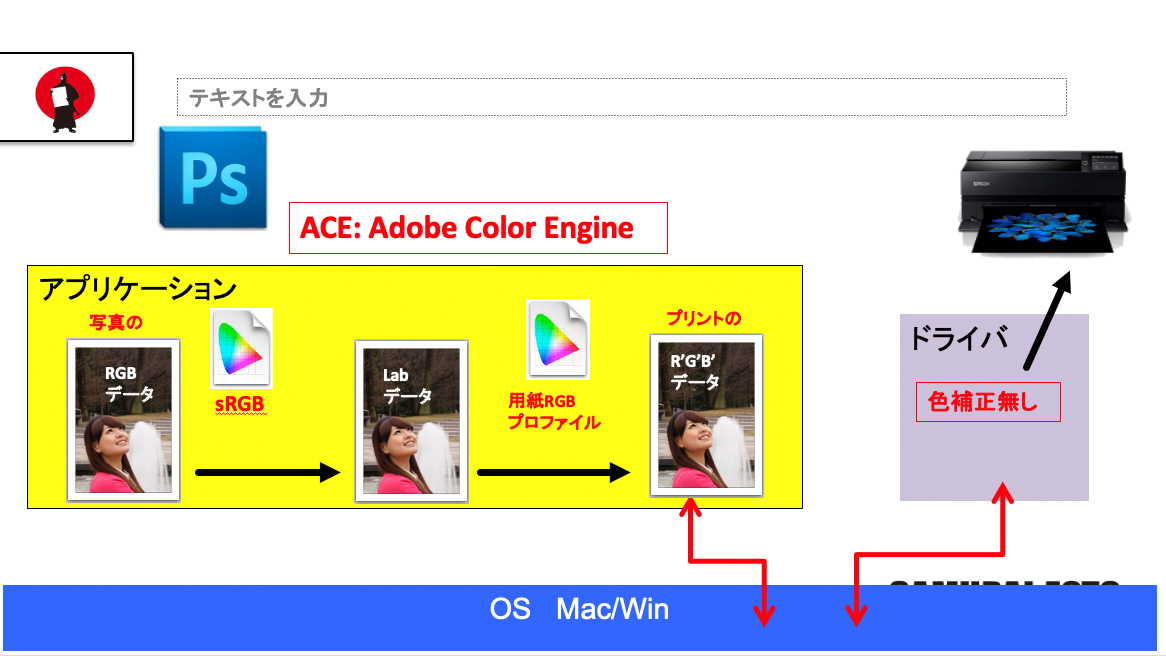
If you are printing the photo with the ICC profile created in advance, you don’t need to use the printer driver. In this case, select “No color correction” for the printer driver.
用紙のICCプロファイルをつくってプリントする場合にはプリンタのドライバを使わないで印刷します。その場合には、プリンタドライバは「色補正なし」を選びます。
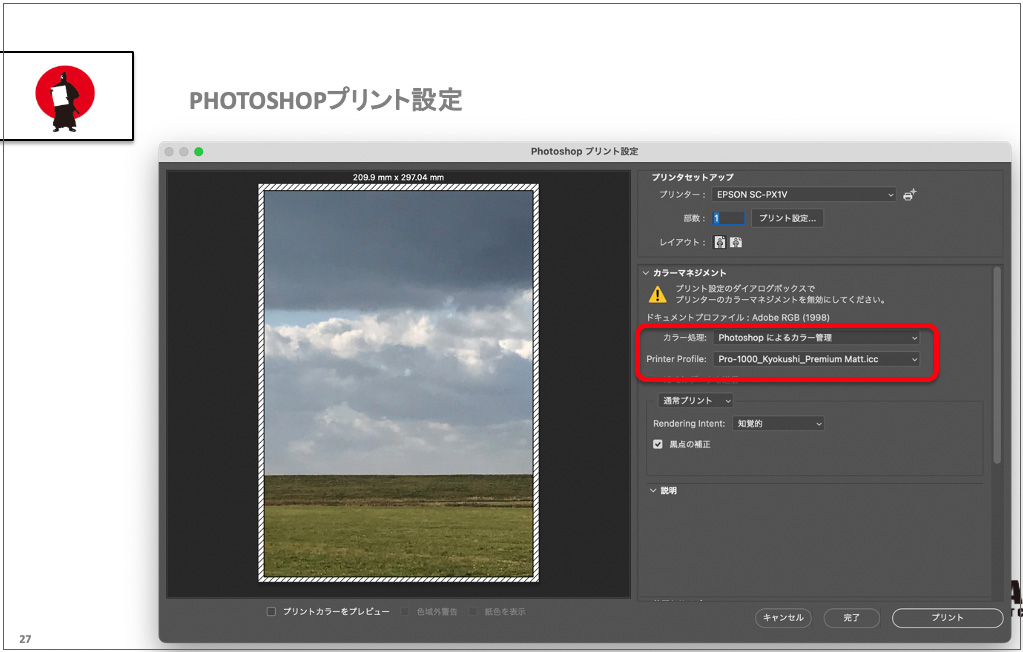
For Photoshop print settings when printing with an ICC profile, select “Color Management by Photoshop” and select the ICC profile for the paper you are printing on.
ICCプロファイルを当ててプリントする場合のPhotoshopのプリント設定は、「Photoshopによるカラー管理」を選び、使用する用紙のICCプロファイルを選ぶだけでいいです。
Feel free to contact us.
Nothing will make us happier than having visitors share their thoughts.